
Quick Summary:
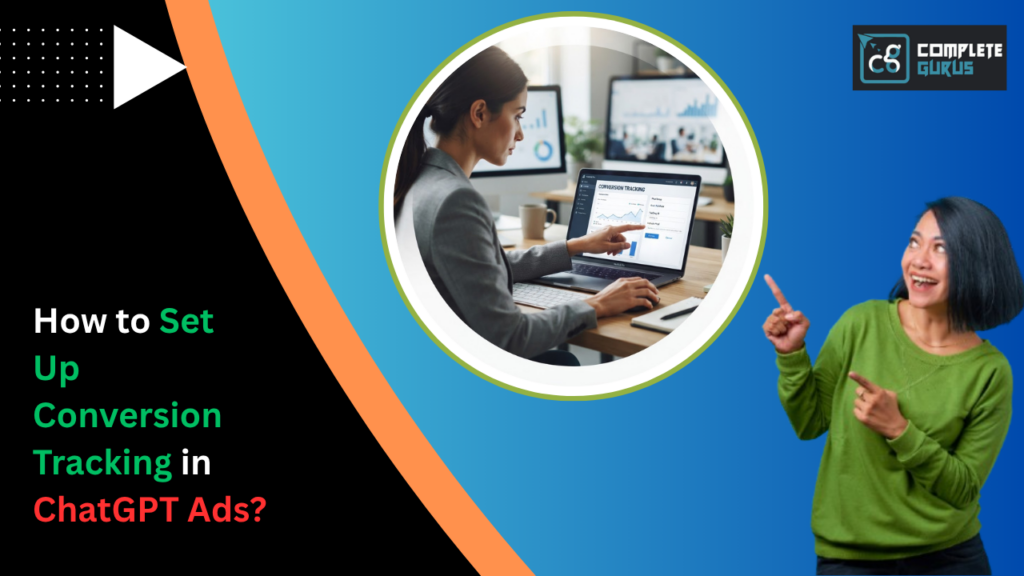
If you’ve launched a campaign inside ChatGPT Ads and you’re still eyeballing results based on impressions or click-through rates, you’re flying half-blind. Conversion tracking is the piece that tells you whether the money you’re spending is actually turning into sales, sign-ups, bookings, or whatever action matters to your business. This guide walks you through what conversion tracking means in the context of ChatGPT Ads, how to get it set up correctly from the ground up, where most advertisers slip up, and how to actually use the data once it starts flowing in. No jargon-soup, no assumptions that you already know that a conversion API is just a straight, practical walkthrough written for someone who wants their ad spend to mean something.
Let’s get into it.
What Conversion Tracking Actually Means in ChatGPT Ads
Here’s the thing nobody tells you when you first open an ad account on a new platform: clicks are cheap to get and expensive to misread. Someone clicks your ad, lands on your site, and then… what? Did they buy something? Fill out a form? Bounce in four seconds flat? Without conversion tracking, you genuinely have no idea. You’re just watching a number go up and hoping it correlates with revenue.
Conversion tracking in ChatGPT Ads works on a similar principle to what you’d find on Google or Meta: a small piece of tracking code (or a server-side connection) reports back to the ad platform every time someone completes a meaningful action after interacting with your ad. That action could be a purchase, a lead form submission, an app install, a newsletter signup, or a scheduled call. The platform then ties that action back to the specific ad, ad group, and even the exact conversation or prompt context that led to the click.
What makes this a little different from the tracking setups you’re used to on more established platforms is that ChatGPT Ads sit inside a conversational interface. Someone isn’t scrolling past your ad in a feed; they’re in the middle of a conversation with an AI assistant, and your ad shows up as a contextually relevant suggestion. That changes the user’s mental state slightly, and it changes how intent signals show up in the data. So while the mechanics of tracking are familiar, the behavior you’re measuring is a little more intent-driven than what you’d see from a passive scroll-and-click environment.
Getting this right isn’t optional if you plan to spend real money here. It’s the foundation for everything else: bidding, budget allocation, creative testing sits on top of.

Why This Matters More in ChatGPT Ads Than Anywhere Else
You might be thinking, “Isn’t conversion tracking just conversion tracking, no matter the platform?” Mostly, yes. But there’s a specific reason it deserves extra attention here: ChatGPT Ads is still a young advertising channel, and young channels tend to have thinner benchmark data. When you’re running Google Search ads, you can lean on over two decades of aggregate performance data to sanity-check your numbers. With ChatGPT Ads, you’re partly writing the playbook as you go, at least for now.
That means your own first-party conversion data becomes disproportionately valuable. It’s the only reliable signal you have about what’s actually working for your specific audience, your specific offer, and your specific price point. If your tracking is broken or incomplete, you’re not just missing a few data points, you’re making every subsequent decision on a foundation of guesswork, at a time when guesswork is the one thing you can’t afford.
There’s also a cost angle worth mentioning. Ad platforms reward advertisers who feed them clean conversion signals with better algorithmic optimization. The platform’s bidding system learns from the conversions you report. Feed it garbage duplicate conversions, missing conversions, or conversions fired at the wrong point in the funnel and it optimizes toward the wrong outcome. You end up paying more to get less, and you won’t even know why, because the surface-level metrics might still look fine.
So this isn’t busywork. It’s the difference between a campaign that improves every week and one that plateaus and quietly bleeds budget.
Getting Your Account Ready Before You Touch Tracking
Before you install a single line of code, there’s some groundwork worth doing. First, make sure your ChatGPT Ads Manager account is fully verified and that billing is active tracking setups sometimes behave oddly in accounts that are still in a pending or limited state. Second, confirm you have admin-level access to your website’s backend, whether that’s a content management system, a custom-built site, or an eCommerce platform. You’ll need this to install tracking scripts or hand them off to a developer who can.
Third, and this one gets skipped constantly, decide, in writing, what your actual conversion events are before you start building anything. Sounds obvious, but a shocking number of advertisers start installing pixels before they’ve agreed internally on what “success” even means. Is it a purchase? A completed checkout versus an added-to-cart? A qualified lead versus any form fill? A demo booked versus a demo attended? Write these down. You’ll thank yourself later when you’re not retrofitting tracking definitions halfway through a campaign.
Fourth, take stock of your existing tracking stack. If you’re already running Google Ads or Meta Ads, you likely have Google Tag Manager or a similar tag management system installed. This is good news; it means you can often deploy the ChatGPT Ads tracking tag through the same container instead of hand-coding it into every page, which saves time and reduces the chance of a developer accidentally breaking something else on your site.
Finally, if your business runs on a platform like Shopify, WordPress, BigCommerce, or a custom-coded storefront, know where your theme files or plugin settings live, because the exact installation steps differ slightly depending on your setup. Having this mapped out before you start will save you a frustrating afternoon of tab-switching.
Setting Up the ChatGPT Pixel or Conversion API on Your Website
This is the technical core of the whole process, so let’s slow down here. ChatGPT Ads gives you a tracking snippet sometimes called a pixel, sometimes delivered through a server-side conversion API depending on how the platform has structured its tools at the time you’re setting up and this snippet needs to sit on every page of your site, with special event tags on the pages that represent a conversion.
The base tracking code typically goes in the header of your site, on every page, so the platform can recognize when someone who clicked your ad is browsing your domain. Then, on top of that base code, you add event-specific snippets on the pages or moments that represent an actual conversion. A purchase confirmation page gets a “purchase” event tag. A lead form’s thank-you page gets a “lead” event tag. A demo booking confirmation gets a “schedule” event tag.
If you’re comfortable working with Google Tag Manager, this becomes much easier to manage. You create a new tag, paste in the base pixel code, set the trigger to “all pages,” and publish. Then you create separate tags for each conversion event, each with its own specific trigger, usually a page-view trigger scoped to the confirmation or thank-you URL, or a click trigger tied to a button if you’re tracking something like a phone number click.
For those running server-side tracking through an API connection instead of a browser-based pixel, the process shifts slightly. You’ll be working with your developer to pass conversion events from your server directly to ChatGPT Ads’ endpoint, which tends to be more reliable because it isn’t dependent on a user’s browser allowing tracking scripts to run. This matters increasingly as browsers get stricter about third-party cookies and ad blockers become more common; a server-side setup captures conversions that a pure pixel-based setup would miss entirely.
Either way, don’t rush this step. A pixel installed on the wrong page, or an event tag firing on page load instead of on actual conversion completion, will quietly corrupt your data for weeks before anyone notices something’s off.
Defining Your Conversion Events the Right Way
Once the technical groundwork is in place, you need to actually define your conversion actions inside the ChatGPT Ads Manager interface. This is where you tell the platform what each tracked event means, how much it’s worth, and how it should be counted.
Start by naming your events clearly. “Purchase,” “Lead Form Submitted,” “Free Trial Started” not vague labels like “Conversion1” that you’ll forget the meaning of in three weeks. Assign a value to each event where possible. If you’re an eCommerce business, this is usually the dynamic order value pulled from your cart. If you’re running a lead-gen business, you might assign a flat estimated value per lead based on your average close rate and deal size, which helps the platform’s bidding algorithm understand which leads are worth chasing harder.
Next, decide on your counting methodology: should each conversion count every time it happens, or only once per user? For purchases, you almost always want “every time,” since repeat purchases from the same ad-driven customer are still revenue. For something like a newsletter signup or an account creation, you typically want “once per person,” since counting the same signup twice would inflate your numbers artificially.
You’ll also want to distinguish between primary and secondary conversion actions. Your primary action is the one the algorithm should actively optimize toward, usually the purchase or the qualified lead. Secondary actions, like an add-to-cart or a page scroll depth, are useful for understanding funnel behavior but shouldn’t be the thing your bidding strategy chases, because optimizing for a shallow action often drags in a lot of low-intent traffic that never converts further down the funnel.
This step feels administrative, but it’s actually strategic. The definitions you set here directly shape how the algorithm spends your budget for the entire life of the campaign.
Connecting Conversion Actions to Your Campaigns
With your events defined and tracking live, the next step is linking those conversion actions to the actual campaigns you’re running. Inside the campaign settings, you’ll select which conversion goal each campaign should be optimizing toward. A campaign built to drive product sales should point at your purchase event. A campaign built to fill a B2B pipeline should point at your qualified lead event, not just any form fill.
This is also the stage where you set your attribution model more on that in a moment and decide whether a single campaign is allowed to optimize toward multiple conversion actions or just one. Generally, campaigns perform more predictably when they’re focused on a single, clearly defined primary conversion goal rather than juggling several competing objectives. Splitting attention across too many conversion types tends to confuse the bidding algorithm and slows down the learning phase, which is the period where the system figures out which users are likely to convert.
If you’re running multiple campaigns for different parts of your funnel, say, one for cold prospecting and one for retargeting warm visitors it’s worth assigning different conversion priorities to each. Your prospecting campaign might reasonably optimize toward a lighter action like a landing page visit or content download, while your retargeting campaign should be locked in tightly on the purchase or lead event, since those users are already further down the funnel and more likely to convert.
Take your time on this step. It’s tempting to rush through campaign settings once the tracking is installed, but a mismatched conversion goal here undoes a lot of the careful setup work from earlier steps.
Testing Your Tracking Setup Before You Trust the Data
Never, ever launch a campaign and assume your tracking works just because you followed the instructions correctly. Test it. Every single time.
Start by using any diagnostic or tag-checking tool available inside your tag manager or browser extensions built for this purpose; these let you see, in real time, whether your base pixel and event tags are firing correctly as you browse your own site. Walk through your entire funnel yourself: click a test version of your ad if possible, land on your site, go through checkout or fill out the form, and confirm the event fires at the right moment.
After that, place a genuine test conversion and check the ChatGPT Ads Manager reporting dashboard a few hours later to confirm the event shows up there too. Delays are normal most platforms have some reporting lag but if a clearly completed test conversion never appears after a reasonable window, something in the chain is broken, whether that’s the pixel, the event trigger, or the connection between your site and the ad account.
It’s also worth testing across devices and browsers. A pixel that fires perfectly on desktop Chrome might behave differently on mobile Safari, especially given how aggressively Apple’s ecosystem restricts tracking scripts. If a meaningful chunk of your traffic comes from mobile, and it almost certainly does, this cross-device testing isn’t optional.
Lastly, cross-reference your ad platform’s reported conversions against your own backend numbers, your CRM, your order management system, your actual sales records for the first couple of weeks of any new tracking setup. Some discrepancy is normal due to attribution differences, but if the numbers are wildly off, you’ve likely still got a tracking gap somewhere that needs fixing before you scale spend.
Attribution Windows and Why They Trip People Up
Attribution windows are one of those settings that seem minor until they quietly reshape your entire understanding of campaign performance. An attribution window is simply the timeframe during which a conversion gets credited back to an ad click or ad view. A seven-day click window means that if someone clicks your ad and converts anytime within the next seven days, that conversion counts. A one-day view window means someone who merely saw your ad, didn’t click, but converted within a day still gets attributed to that impression.
The window you choose affects how many conversions you see and, by extension, how efficient your campaigns appear to be. A longer attribution window will generally show more conversions and a lower cost per result, simply because it’s capturing a wider net of behavior. A shorter window gives you a tighter, more conservative read on what your ads are truly driving in the near term.
Which one is right depends heavily on your sales cycle. If you sell a low-cost, impulse-buy product, a shorter window makes sense because people decide fast. If you’re in B2B or selling something with a longer consideration period enterprise software, real estate, high-ticket services a longer attribution window more accurately reflects how your buyers actually behave, since someone might see your ad today and not convert until they’ve had two internal meetings about it three weeks later.
The mistake most people make is leaving the default setting untouched without ever considering whether it fits their business. Take the time to actually think through your typical buyer journey and set the window to match reality, not just whatever the platform pre-selected for you.
Common Mistakes That Quietly Wreck Your Tracking
A handful of mistakes show up again and again, and most of them are avoidable with a little care. Firing an event tag on page load instead of on actual completion is one that happens when the thank-you page tag is set to trigger on any page visit rather than specifically after a successful transaction, which means someone who navigates to that URL directly, without buying anything, still gets counted as a conversion.
Duplicate tracking is another common trap, usually caused by having the same pixel installed twice, once directly in the site code and again through a tag manager, which inflates your conversion numbers and makes your campaigns look more efficient than they actually are right up until you realize your real cost per acquisition is roughly double what the dashboard claims.
Not accounting for cross-domain tracking trips up a lot of businesses too, especially ones that send traffic from a marketing site to a separate checkout domain or a third-party booking tool. If the tracking setup doesn’t account for that domain handoff, you lose the thread entirely and conversions vanish from your reporting even though they genuinely happened.
Ignoring mobile app conversions is another blind spot, particularly for businesses where the actual conversion, the purchase, the booking, the account creation happens inside a mobile app rather than on the mobile web. This requires a separate app-specific tracking integration, often through a mobile measurement partner, and skipping it means an entire category of your conversions simply never gets reported.
And finally, setting it up once and never auditing it again. Websites change. Developers redesign checkout flows, marketing teams launch new landing pages, platforms update their tracking requirements. A setup that worked perfectly six months ago can silently break the moment someone on your team ships an unrelated site update. Building a quarterly tracking audit isn’t glamorous work, but it saves you from discovering, months later, that you’ve been optimizing toward broken data the entire time.

Using Tracked Data to Actually Optimize Campaigns
Once your tracking is clean and conversions are flowing in reliably, the real work begins using that data to actually make your campaigns better. Start by looking at cost per conversion by ad group or targeting segment rather than just at the campaign level. Averages hide a lot. A campaign with a reasonable overall cost per conversion might be masking one segment that’s wildly efficient and another that’s burning money with nothing to show for it.
Pay close attention to which conversion events are happening earliest versus latest in your data. If you’re seeing plenty of top-of-funnel actions page visits, add-to-carts but very few completed purchases, that’s a signal pointing away from your ad targeting and toward your landing page or checkout experience instead. Tracking data doesn’t just tell you if ads are working; it tells you where in your funnel things are breaking down.
Use your conversion value data to identify which audiences and creative angles bring in higher-value customers, not just more customers. It’s tempting to chase volume, but a campaign generating fewer, higher-value conversions is often more profitable than one generating a flood of low-value ones. Let the data guide budget shifts toward the segments producing real revenue, not just activity.
And give your campaigns time before making dramatic changes. Conversion tracking data needs a reasonable sample size before it’s statistically meaningful, and constantly tweaking targeting or creativity before the algorithm has had a chance to learn from a stable signal tends to reset progress rather than accelerate it. Patience paired with clean data outperforms impatience paired with guesswork every single time.
‘Suggested Reading: How to Turn Free Consultation Requests Into Paid Medical Test Prep Enrollments
Conclusion
Conversion tracking isn’t the flashiest part of running ads, but it’s the part that determines whether everything else you do actually matters. Get it right, and every dollar you spend teaches your campaigns to work a little smarter than the last. Get it wrong, and you’re essentially paying to generate noise dressed up as data. The steps aren’t complicated on their own install the tracking, define your events clearly, connect them to the right campaigns, test relentlessly, set sensible attribution windows, and stay alert to the common mistakes that quietly undermine everything. What takes discipline is doing all of it carefully, and then continuing to check on it rather than treating it as a one-time setup task. If you’re serious about scaling on ChatGPT Ads, this is the unglamorous groundwork that makes the glamorous results possible.
If all of this feels like more than you want to manage on top of running your actual business, that’s exactly the kind of work Complete Gurus handles for clients every day. As a performance marketing agency with over 13 years of paid ads experience and more than $3 million in annual ad spend managed across platforms including Google Ads, Meta Ads, and emerging channels like ChatGPT Ads, the team builds and audits conversion tracking setups so that every campaign is optimizing toward accurate, revenue-driving data from day one. Whether you need a full ChatGPT Ads campaign built from scratch, a tracking audit on an existing setup, or ongoing management backed by a 90-day ROAS improvement guarantee, Complete Gurus offers the kind of hands-on, accountable support that turns ad spend into measurable growth rather than guesswork.

Ashutosh Mishra is an AI Visibility & Performance Marketing Expert with 14+ years of experience helping businesses grow through AI Visibility (AEO/GEO), Google Ads, Meta Ads, and SEO. He partners with founders and business leaders to build data-driven growth strategies that increase visibility, improve marketing performance, and help businesses get discovered, trusted, and recommended in the age of AI.